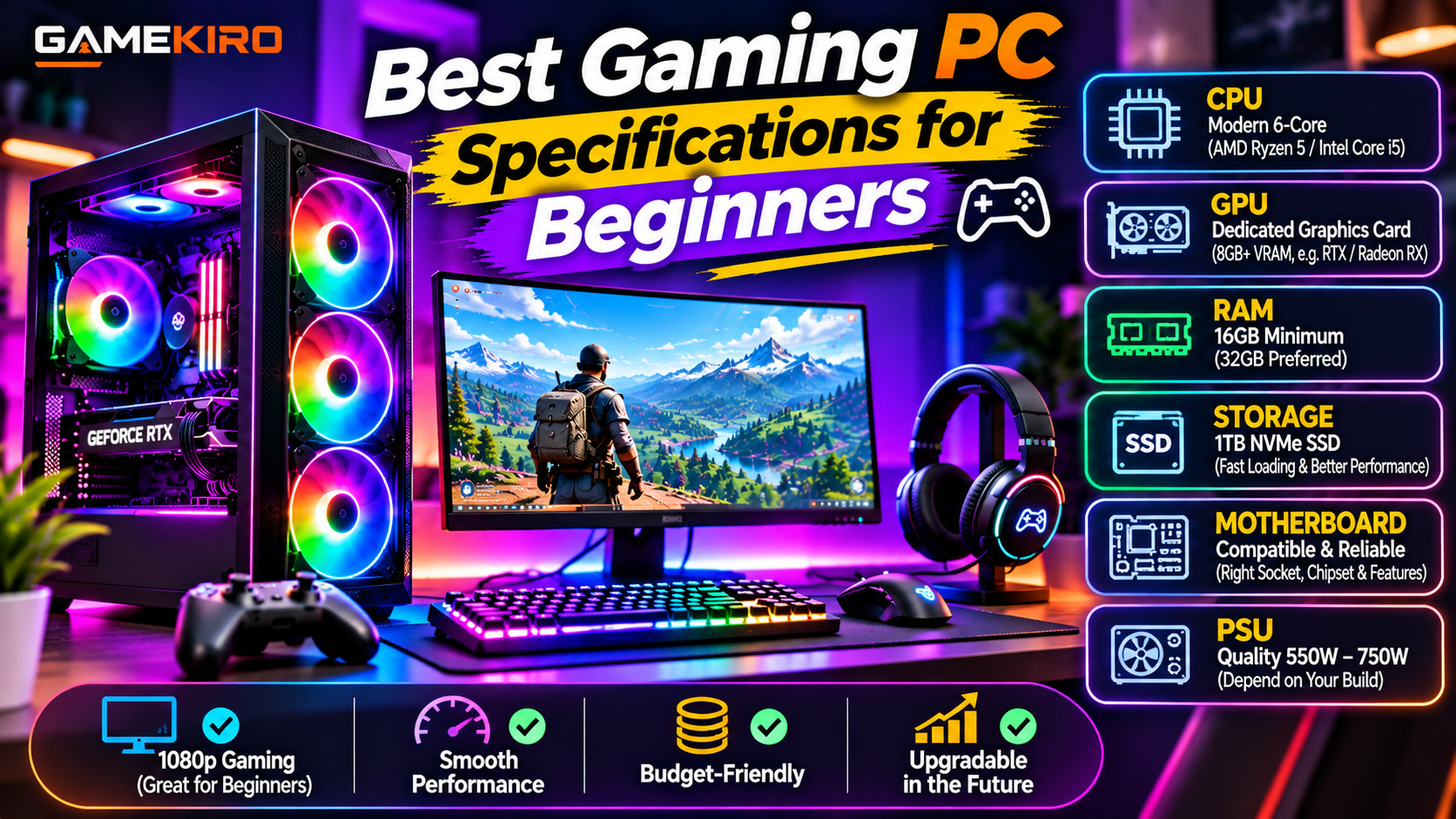
Best Gaming PC Specifications for Beginners
Buying your first gaming PC can feel confusing, especially when you see different processors, graphics cards, RAM capacities, and storage options. With so many hardware choices available, beginners often wonder which specifications are actually necessary for a good gaming experience.
The good news is that you do not need an expensive high-end computer to start gaming. A well-balanced PC with the right components can run many popular games smoothly without exceeding your budget.
In this guide, we will explain the best gaming PC specifications for beginners in 2026 and what to consider before purchasing your first gaming computer.
1. Processor (CPU): Choose a Modern 6-Core Processor
The CPU is responsible for handling game instructions, background applications, and other computing tasks.
For beginners, a modern AMD Ryzen 5 or Intel Core i5-class processor is a sensible starting point. Look for a model with at least six cores and good performance in recent gaming benchmarks.
You do not need an expensive flagship processor for most entry-level gaming builds. Choose a CPU that matches your graphics card and motherboard.
2. Graphics Card (GPU): The Most Important Gaming Component
The graphics card has a major impact on gaming performance, graphics quality, and frame rates.
For a beginner gaming PC, consider an entry-level or mid-range dedicated graphics card. Aim for 1080p gaming initially, and compare real-world benchmarks before purchasing.
As a general target, 8GB of graphics memory can be a starting point for many 1080p games, while 12GB or more can provide additional flexibility for newer and more demanding titles.
NVIDIA GeForce RTX and AMD Radeon RX graphics cards are popular choices. The best option depends on your budget, game requirements, and available features.
3. RAM: Start With 16GB
RAM allows your computer to handle games and applications efficiently.
For a beginner gaming PC, 16GB of RAM is a practical minimum target for many modern games. If your budget allows, 32GB is a better choice for multitasking and demanding games.
For a new build, choose a compatible dual-channel memory kit, such as 2 × 8GB or 2 × 16GB. Check your motherboard's supported memory type and speed.
4. Storage: Choose an SSD
Storage affects game loading times and overall system responsiveness.
An SSD is strongly recommended for a modern gaming PC. NVMe SSDs are particularly useful because they offer fast data transfer speeds.
A 1TB SSD is a good starting point for beginners who plan to install several games. If your budget is limited, you can begin with a smaller SSD and add storage later.
5. Motherboard: Check Compatibility
Your motherboard connects the CPU, RAM, graphics card, and storage devices.
Choose a motherboard that supports your processor and memory. Check its CPU socket, chipset, RAM compatibility, M.2 slots, and expansion options.
You do not need an expensive motherboard for a beginner gaming PC. A reliable model with the features you need is usually sufficient.
6. Power Supply (PSU): Do Not Choose the Cheapest Option
The power supply delivers electricity to every component. A poor-quality PSU can create stability problems and put your hardware at risk.
Choose a reputable power supply with sufficient wattage for your CPU and graphics card. For many entry-level and mid-range systems, a quality 550W–750W unit may be appropriate, depending on the components.
Check independent reviews, safety protections, connectors, and warranty coverage before purchasing.
7. Monitor and Gaming Accessories
Your gaming experience also depends on your monitor and accessories.
For beginners, a 1080p monitor is an affordable starting point. A 144Hz monitor can provide smoother motion in games, provided your PC can produce sufficiently high frame rates.
You should also consider a comfortable keyboard, mouse, headset, and mouse pad. Expensive RGB accessories are not essential.
Recommended Beginner Gaming PC Specifications
Component| Recommended starting point
CPU| Modern 6-core AMD Ryzen 5 or Intel Core i5-class
GPU| Dedicated graphics card with 8GB or more VRAM
RAM| 16GB minimum target; 32GB preferred
Storage| 1TB NVMe SSD
Motherboard| Compatible entry-level or mid-range model
PSU| Quality 550W–750W, depending on hardware
Monitor| 1080p, ideally 144Hz
Operating system| Windows 11 or a compatible gaming OS
Conclusion
Choosing the best gaming PC specifications for beginners is about finding the right balance between performance, price, and future upgrades.
Start with a modern processor, a capable graphics card, sufficient RAM, SSD storage, and a reliable power supply. You can always upgrade your graphics card, memory, or storage as your gaming needs grow.
Remember, the most expensive gaming PC is not necessarily the best choice. Select components based on the games you want to play and the budget you can afford.